Update a mod faster
Steam Workshop can pick up updates with a delay. The launcher may still show the mod as Ready while the server already runs a newer version.
To force the latest files, use Repair in the DayZ launcher.
Steps
- Open the DayZ Launcher.
- Go to the MODS tab.
- Find the mod in Loaded mods (for example, FDS - pack).
- Expand the mod row with the arrow on the right.
- Click Repair.
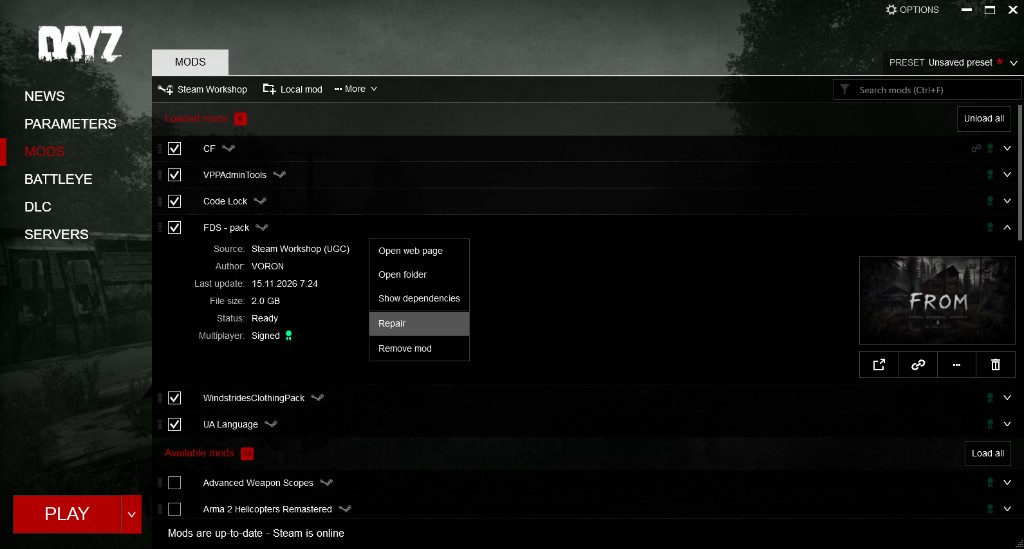
Wait until the status is Ready again, then join the server.